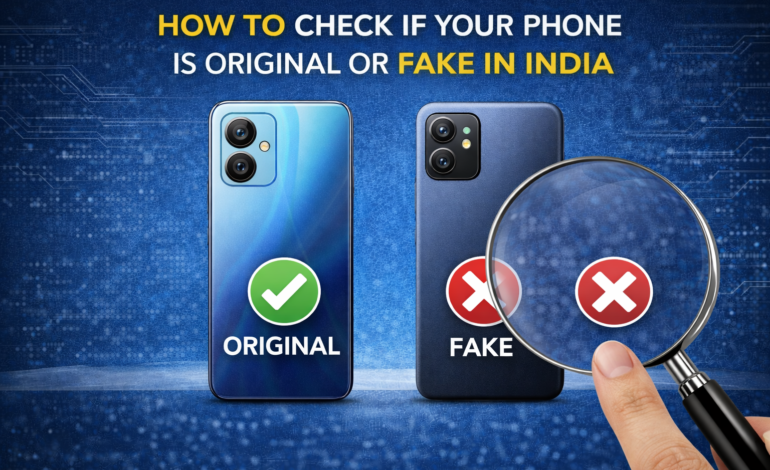
How to Check if Your Phone is Original or Fake in India (2026)
How to Check if Your Phone is Original or Fake in India (2026 Guide)
India is one of the world’s largest markets for counterfeit electronics. The Central Consumer Protection Authority estimates that fake and duplicate smartphones account for nearly ₹8,000 crore in annual losses to Indian consumers. The problem is sophisticated — modern counterfeits don’t look like obvious fakes anymore. Packaging is replicated with frightening accuracy. Box contents match. Even the boot screen looks right. The deception only reveals itself weeks later when the phone overheats, the camera disappoints, or the battery drains in 4 hours.
Whether you’re buying from a local mobile shop in Nehru Place, a WhatsApp seller, or even a third-party Amazon marketplace listing — knowing how to verify authenticity before and after purchase is a skill every Indian buyer needs. This guide gives you a complete, step-by-step verification framework. Bottom line up front: IMEI verification on the government’s CEIR portal and the brand’s official website are your two most reliable checks. Everything else is supporting evidence.
Why Fake Phones Are So Common in India
Understanding the supply chain helps you avoid the traps:
- Import duty arbitrage: India levies 18–22% customs duty on imported smartphones. Grey market importers bring phones without paying full duty, reducing their cost base. Some use this margin to sell genuine phones cheaper. Others use it to fund high-quality counterfeits.
- Refurbished-as-new fraud: Repaired or refurbished phones are repackaged in fake original boxes and sold as brand new. The phone may be genuine but used — the fraud is in the “new” representation.
- Component swapping: A genuine phone chassis is fitted with inferior components — lower-quality battery, downgraded camera sensor, cheaper processor. The external appearance matches the original. Internals don’t.
- Complete counterfeits: Phones designed to visually mimic a flagship — same design, same UI mimicry, completely different and inferior hardware inside. Common with iPhone replicas and Samsung Galaxy S-series fakes.
Where fake phones are most common in India:
- Nehru Place (Delhi), Gaffar Market (Karol Bagh), Manish Market (Mumbai), SP Road (Bengaluru), Ritchie Street (Chennai)
- WhatsApp sellers offering “international stock” or “factory sealed” phones
- OLX and Quikr listings for “new” phones at below-market prices
- Third-party Amazon and Flipkart marketplace sellers with few ratings
Step-by-Step Verification Guide
Step 1: Check the IMEI on India’s CEIR Portal
This is your most important check. The Central Equipment Identity Register (CEIR) is India’s government-maintained database of all registered mobile device IMEIs. Every legally imported or manufactured smartphone in India is registered here.
How to find your IMEI:
- Dial *#06# on the phone — the IMEI displays immediately
- Go to Settings → About Phone → IMEI Information
- Check the back of the box — printed on the label
How to verify on CEIR:
- Visit ceir.gov.in
- Click “Know Your Mobile” or “IMEI Check”
- Enter the IMEI number
- Enter the captcha and submit
What to look for:
- ✅ Valid and active: IMEI is registered, not reported lost or stolen, and is active on Indian networks
- ⚠️ Not found: IMEI not in Indian database — could be a grey market import or counterfeit
- ❌ Blocked: IMEI has been reported stolen or flagged — do not buy under any circumstances
- ❌ Duplicate IMEI: Same IMEI registered to multiple devices — clear indicator of counterfeit
Pro tip: A genuine phone has two IMEIs (dual SIM) — check both. A fake phone often has one IMEI shared across thousands of counterfeit units.
Step 2: Verify the IMEI on the Brand’s Official Website
Every major smartphone brand maintains its own IMEI verification portal. This check confirms whether the specific IMEI matches the model you’re buying — and whether the device is covered under Indian warranty.
Brand-specific IMEI verification links:
| Brand | Verification Method |
|---|---|
| Samsung | samsung.com/in → Support → IMEI Check |
| Apple | checkcoverage.apple.com — enter serial number |
| Xiaomi/Redmi | mi.com/in → Support → IMEI Check |
| OnePlus | oneplus.in → Support → Warranty Check |
| Realme | realme.com/in → Support → Warranty Check |
| Motorola | motorola.com/in → Support → Check Warranty |
| Vivo | vivo.com/in → Support |
| OPPO | oppo.com/in → Support |
What to look for:
- ✅ IMEI matches the model, colour, and storage variant you’re buying
- ✅ Device shows as covered under Indian warranty
- ❌ IMEI returns “not found” or shows a different model
- ❌ Device shows warranty already activated (means it’s been opened or used)
Critical check for iPhone buyers: Visit checkcoverage.apple.com and enter the serial number (found in Settings → General → About). A genuine new iPhone should show “Valid Purchase Date” or “Purchase Date Not Validated” (if not yet activated). If it shows a warranty start date from months ago — it’s been activated before.
Step 3: Physical Box Inspection
Counterfeit packaging has improved dramatically — but careful inspection still reveals tells.
Check these elements:
- Seal integrity: Genuine sealed phones have a shrink-wrap film or a tamper-evident seal on the box. Resealed boxes often show slight heat damage or uneven shrink-wrap edges. Some brands use holographic seals — check for an authentic holographic pattern (changes colour at different angles).
- Print quality: Genuine boxes use sharp, high-resolution printing — no blurring, no colour bleeding. Text is crisp at any zoom level. Font weights match brand standards exactly.
- IMEI/Serial number sticker: IMEI on box label must match IMEI on phone exactly. Sticker should be flush with the box surface — not raised or replaced. Check that the same IMEI appears in at least two places on the box (label and inside lid).
- Made in / Import details: Phones manufactured in India (Apple, Samsung): “Made in India” printed on box. Imported phones: Importer details, BIS certification number visible. No BIS number = not officially imported = grey market or counterfeit.
- BIS certification mark: Look for the BIS (Bureau of Indian Standards) certification mark — a stylised logo with “BIS” and a certification number. Officially sold Indian smartphones carry this. Its absence is a red flag.
Step 4: Physical Phone Inspection
Weight and feel: Counterfeits frequently use inferior materials — lighter chassis, plastic where the original uses aluminium or glass, cheap plastic buttons instead of metal. If a phone feels lighter or cheaper than you expected — that’s a signal.
Compare the weight against the official spec. If an iPhone 16 is listed at 170g and the phone in your hand feels like 140g — something is wrong.
Build quality details:
- Button clicks: Genuine phones have precise, tactile button feedback. Fake phones have mushy or inconsistent buttons.
- Port quality: USB-C and SIM tray should fit precisely with no wobble or play.
- Screen-to-body alignment: Genuine phones have even bezels. Fakes often have uneven gaps where screen meets frame.
- Back panel: Glass backs should feel cool to touch initially. Plastic “glass-look” fakes feel warmer.
Screen quality: Power on the phone and check:
- Colour uniformity — no uneven patches, no yellow tinting on white screens
- Touch response — precise, immediate, no lag or dead zones
- Viewing angles — AMOLED should maintain colour; IPS should maintain brightness at wide angles
Camera module:
- Genuine camera lenses have optical clarity — look through them at a light source
- Fake camera lenses often have a milky or hazy appearance
- Camera lens placement matches official product photos exactly — measure with the product image if in doubt
Step 5: Software and Settings Verification
Turn on the phone and check these settings before completing any purchase:
Check Android version and security patch: Go to Settings → About Phone → Software Information. The software version should match what the brand officially ships for that model. A brand-new phone should have recent security patches. A phone with security patches from 18 months ago is either old stock or a fake running custom firmware.
Check storage genuinely: Fake phones frequently misrepresent storage. A phone sold as 128GB may have a 32GB chip with spoofed software showing 128GB. This reveals itself when you try to fill it.
How to test storage integrity:
- Download a free app called SD Card Test or A1 SD Bench from Play Store
- Run a write/read test — genuine storage completes the test accurately
- Spoofed storage fails or shows dramatically lower read/write speeds than specified
Check RAM genuinely: Similarly, RAM can be spoofed in software. Download AIDA64 (free on Play Store) — it shows actual hardware RAM installed vs software-reported RAM.
Check processor identity: AIDA64 also shows the actual processor model. If a phone is sold as having a Snapdragon 7s Gen 3 but AIDA64 shows a Helio A22 — it’s counterfeit.
Check display resolution: Settings → Display → Screen Resolution should show the specified resolution. Some fakes display lower-resolution panels with software-reported specs that don’t match hardware.
Step 6: Camera Test
Take photos in these conditions and compare against sample photos from trusted review sites (GSMArena, 91mobiles):
- Bright outdoor test: Take a photo of a detailed outdoor scene. Genuine flagship cameras produce sharp, detailed images with accurate colours. Fakes produce soft, noisy, or oddly colour-processed images that don’t match official sample photos.
- Low-light test: Take a photo indoors with minimal lighting. Night mode on genuine phones produces remarkably bright, detailed results. Fakes show excessive noise and poor detail even in night mode.
- Selfie test: Skin tone processing should feel natural. Fake phones often apply aggressive beauty filters that can’t be fully disabled — a sign of inferior camera hardware being masked by software.
- Video test: Record 4K video if the phone claims it. Check actual resolution in file properties. A fake “4K” video is often actually 1080p with a 4K label applied.
Step 7: Charger and Accessories Verification
Charger quality: Genuine chargers have the brand logo, BIS certification mark, output specifications, and serial numbers printed clearly on the body. Fake chargers have blurry printing, may omit BIS marking, and frequently lack proper certifications.
Important safety note: A fake or uncertified charger poses a genuine fire and electrical hazard in Indian homes. India’s 230V power supply is unforgiving of substandard charger components. If the charger looks or feels cheap — do not use it on the mains. Buy a genuine replacement.
Cable quality: Genuine USB-C cables support the specified charging speed (USB 2.0, 3.0, USB4). Fake cables often support USB 2.0 speeds only — meaning slow charging regardless of the charger power rating.
Earphones (if included): Brands like Apple and Samsung include specific earphone models with certain devices. Check that the included earphones match the officially bundled accessory for that model.
Red Flags: Walk Away Immediately If You See These
| Red Flag | What It Means |
|---|---|
| Price 20%+ below market | Almost certainly fake, stolen, or compromised |
| Seller refuses IMEI check before purchase | Hiding something |
| Box already opened “for demo” | May be resealed used/fake |
| IMEI blocked on CEIR portal | Stolen device |
| IMEI not found on brand’s warranty portal | Grey market or counterfeit |
| “International version” with Indian box | Reboxed grey market |
| No BIS certification on box | Not officially imported |
| Seller insists on immediate cash only | No paper trail — deliberate |
| WhatsApp-only seller, no physical address | No recourse if fraud |
| Warranty card pre-filled with old date | Previously activated |
Where to Buy Safely in India
Safest options (in order):
- Official brand stores: Apple Store (BKC Mumbai, Saket Delhi), Samsung Experience Stores, Xiaomi Mi Stores — zero counterfeit risk
- Amazon India (Sold by brand directly): Look for “Sold by Apple India” or “Sold by Samsung India” — not third-party sellers
- Flipkart (Brand authorised seller): Verified brand-authorised listings only
- Croma, Vijay Sales, Reliance Digital: Physical retail chains with return policies and receipts
- Authorised distributors with GST invoice: Always ask for a GST invoice — provides legal paper trail and warranty validity
Avoid:
- Nehru Place and similar grey market hubs unless you’re experienced
- WhatsApp sellers and Instagram DM shops
- OLX/Quikr listings for “new” phones
- Anyone offering prices 15–20% below MRP on flagship phones
What to Do If You Realise You’ve Bought a Fake
Act immediately — time is critical:
- Within 24–48 hours: Return to seller — most reputable sellers accept returns if fraud is proven. Bring CEIR and brand verification screenshots.
- File a consumer complaint: Visit the National Consumer Helpline (consumerhelpline.gov.in) or call 1800-11-4000. Consumer courts in India award compensation for fraud — small claims are handled within 90 days.
- File a police FIR: Counterfeit electronics sale is a criminal offence under the Indian Penal Code. An FIR strengthens your consumer court case.
- Raise a dispute with payment provider: If you paid by credit card — raise a chargeback dispute. If UPI — raise a dispute through the app. Cash transactions are the hardest to recover.
- Report to the brand: Brands like Apple, Samsung, and Xiaomi have dedicated anti-counterfeit teams in India. Reporting helps them track distribution networks. Some brands assist in consumer recovery.
Quick Reference Checklist
Save this before your next phone purchase:
- ☐ IMEI checked on ceir.gov.in — valid and active
- ☐ IMEI verified on brand’s official warranty portal
- ☐ Box seal intact — shrink wrap or tamper-evident seal
- ☐ IMEI on box matches IMEI on phone
- ☐ BIS certification mark visible on box
- ☐ Processor verified via AIDA64 app
- ☐ Storage verified via SD Card Test app
- ☐ RAM verified via AIDA64 app
- ☐ Camera test done — matches official samples
- ☐ Charger has BIS mark and clear brand printing
- ☐ GST invoice received from seller
- ☐ Warranty registration successful on brand portal
Frequently Asked Questions
Q: Can a fake phone pass the CEIR IMEI check? Some high-quality fakes clone a genuine IMEI — so the CEIR check passes, but the brand’s warranty portal returns “not found” or “different model.” Always run both checks. If CEIR passes but the brand portal fails — it’s a cloned IMEI fake.
Q: Is it safe to buy a phone on OLX as “new”? Very high risk. OLX has no buyer protection for fraud. “New sealed” phones on OLX are frequently resealed used phones, fakes, or stolen devices. If buying on OLX — only meet in a public place, inspect fully before paying, and verify IMEI before handing over any money.
Q: Does a GST invoice guarantee authenticity? A GST invoice is a strong authenticity signal — fraudulent sellers rarely provide proper GST invoices. But sophisticated counterfeit operations do generate fake invoices. Use it as one of several checks, not the only check.
Q: My phone passed all checks but feels slightly off — should I be concerned? Trust your instincts and run the AIDA64 hardware verification. Component-swapped phones (genuine chassis, inferior internals) pass IMEI checks but fail hardware verification. The AIDA64 processor and RAM check catches these.
Q: Can I verify an iPhone without turning it on? Yes — the serial number is printed on the box and on the SIM tray. Enter it at checkcoverage.apple.com. You can verify model, warranty status, and activation status before even powering the device on.
Q: Is buying from Flipkart or Amazon India guaranteed to be genuine? Sold directly by brand = safe. Third-party marketplace sellers on both platforms = verify carefully. Amazon has a counterfeit protection programme, but fake listings do occasionally slip through. Always check the seller name and ratings before purchasing.
In conclusion, navigating the smartphone market in India requires vigilance and knowledge to avoid the pitfalls of counterfeit products. By following this comprehensive guide, you can make informed and safe purchases, ensuring your device is genuine and meets your expectations. Always double-check IMEIs, inspect physical and software attributes, and only purchase from reputable sources.

Pooja Garg is a tech and lifestyle writer at Gadgistry.com, specializing in smartphones, smart home devices, and kitchen appliances. She focuses on simplifying product features into clear, practical insights to help readers make informed buying decisions.
Her work highlights real-world usability, value for money, and the latest trends in everyday technology, making it easier for readers to choose the right gadgets for their needs.