Best Laptop Under ₹40,000 in India for Students
The ₹40,000 laptop segment is where India’s student buying decisions get serious. Below ₹25,000, you’re making too many compromises. Above ₹50,000, you’re entering premium territory most students don’t need.
The ₹30,000–40,000 sweet spot is where you find genuine performance — enough to run Android Studio, handle 20 Chrome tabs, edit college project videos, and survive a 4-year engineering or MBA programme without throttling.
But this segment is also where the confusion is highest. Specs look similar on paper. Every laptop claims “thin and light.” Every seller promises “student-friendly.” The real differences — thermal performance under sustained load, display quality for 6-hour study sessions, keyboard feel for long notes, and battery life that actually lasts through a full college day — only emerge from real-world testing.
We evaluated 7 laptops under ₹40,000 across student use cases: B.Tech coursework, design assignments, content writing, video calls, and light gaming. Here’s what actually works.
Quick Picks: Best Laptops Under ₹40,000
| Laptop | Price | Processor | RAM/Storage | Best For |
|---|---|---|---|---|
| Acer Aspire 5 (2025) | ₹38,999 | Ryzen 5 7520U | 8GB / 512GB SSD | Best overall |
| HP Laptop 15s (2025) | ₹36,999 | Ryzen 5 7520U | 8GB / 512GB SSD | Best battery |
| ASUS VivoBook 15 | ₹37,499 | Ryzen 5 7530U | 8GB / 512GB SSD | Best display |
| Lenovo IdeaPad Slim 3 | ₹35,999 | Ryzen 5 7520U | 8GB / 512GB SSD | Best build quality |
| Mi NoteBook 14 (2025) | ₹33,999 | Intel Core i5-1235U | 8GB / 512GB SSD | Best value |
| Dell Inspiron 15 | ₹39,499 | Intel Core i5-1235U | 8GB / 512GB SSD | Best service network |
| Realme Book Prime | ₹34,999 | Intel Core i5-12450H | 8GB / 512GB SSD | Best performance-per-rupee |
Detailed Reviews
Acer Aspire 5 (2025) — Best Overall
Price: ₹38,999 | Check on Amazon India | Check on Flipkart
The Acer Aspire 5 has held the “best student laptop” crown in India for years — and the 2025 refresh earns it again. The Ryzen 5 7520U processor handles multitasking comfortably, the 15.6-inch FHD IPS display is sharp and easy on the eyes during long study sessions, and the build quality feels more premium than the price suggests.
- Processor: AMD Ryzen 5 7520U (4 cores, up to 4.7 GHz)
- RAM: 8GB DDR5 (upgradeable to 16GB)
- Storage: 512GB NVMe SSD
- Display: 15.6-inch FHD IPS, 60Hz, 300 nits
- Battery: 50Wh — up to 8 hours real-world
- Weight: 1.7 kg
- Ports: 2× USB-A, 1× USB-C, HDMI, SD card, 3.5mm audio
- OS: Windows 11 Home
- Warranty: 1 year on-site (Acer India)
Why it works for Indian students: The RAM is DDR5 — a meaningful upgrade over DDR4 found in older budget laptops. The 300-nit display handles Indian classroom lighting without becoming a mirror. The SD card slot is genuinely useful for photography and media students. The on-site warranty means an Acer technician comes to you — not you going to a service centre.
The Aspire 5 handles the standard Indian student workload reliably: Microsoft Office, Google Meet video calls, Python and Java IDEs (NetBeans, VS Code), and light Photoshop use. For engineering students, it manages Android Studio for basic app development — though heavier projects benefit from a RAM upgrade to 16GB.
Pros:- DDR5 RAM — faster than most competitors at this price
- Upgradeable RAM slot (critical for longevity)
- On-site warranty across India
- Good port selection including SD card reader
- Acer service centres in most Indian cities
- 300-nit display adequate but not bright for outdoor use
- Speakers are average
- Webcam is 720p — passable for video calls, not great
- Runs slightly warm under sustained load
HP Laptop 15s — Best Battery Life
Price: ₹36,999 | Check on Amazon India | Check on Flipkart
HP’s Laptop 15s series consistently delivers the best real-world battery life in this segment. The 2025 Ryzen 5 model averages 9–10 hours in student use — meaning a full college day without hunting for a power socket.
- Processor: AMD Ryzen 5 7520U
- RAM: 8GB DDR5
- Storage: 512GB NVMe SSD
- Display: 15.6-inch FHD IPS, 60Hz, 250 nits
- Battery: 41Wh — up to 10 hours (HP claim); 8–9 hours real-world
- Weight: 1.69 kg
- Ports: 2× USB-A, 1× USB-C, HDMI, 3.5mm audio
- OS: Windows 11 Home
- Warranty: 1 year carry-in (HP India)
Why it works for Indian students: Battery reliability is a genuine advantage in Indian college settings — unreliable power supply in hostels, limited socket access in lecture halls, and commuting between campuses make a 9-hour battery transformative. The HP 15s consistently outperforms its advertised spec in light-to-moderate use.
HP’s service network in India is one of the strongest — HP authorised service centres exist in virtually every district headquarters. For students in Tier 2 and Tier 3 cities, this matters significantly.
Pros:- Best real-world battery life in this roundup (8–9 hours)
- HP’s extensive India service network
- Lightweight at 1.69 kg
- Reliable build quality — HP India has consistent quality control
- 250-nit display is the dimmest in this roundup — poor outdoors
- No SD card slot
- Carry-in warranty (not on-site like Acer)
- RAM not upgradeable (soldered on some variants — verify before buying)
ASUS VivoBook 15 — Best Display
Price: ₹37,499 | Check on Amazon India | Check on Flipkart
ASUS has fitted the VivoBook 15 with a display that punches above the segment — 350 nits brightness, 100% sRGB colour coverage, and an anti-glare coating that handles Indian sunlight better than any competitor at this price.
- Processor: AMD Ryzen 5 7530U (6 cores, up to 4.5 GHz)
- RAM: 8GB DDR4
- Storage: 512GB NVMe SSD
- Display: 15.6-inch FHD IPS, 60Hz, 350 nits, 100% sRGB
- Battery: 50Wh — up to 7 hours real-world
- Weight: 1.8 kg
- Ports: 2× USB-A, 1× USB-C, HDMI, SD card, 3.5mm audio
- OS: Windows 11 Home
- Warranty: 1 year carry-in (ASUS India)
Why it works for Indian students: The Ryzen 5 7530U is a 6-core processor — more capable than the 4-core 7520U found in most competitors. For students running data science workloads (Jupyter Notebooks, Pandas), video editing (DaVinci Resolve), or graphic design (Canva Desktop, Photoshop Elements), this extra compute headroom matters.
The 100% sRGB display is the standout feature — design and media students will notice the colour accuracy immediately. Btech CSE students working on UI/UX projects, architecture students reviewing drawings, and commerce students building Excel dashboards all benefit from a display that renders colour faithfully.
Pros:- Best display in this roundup — 350 nits, 100% sRGB
- 6-core Ryzen 5 7530U is the strongest CPU here
- SD card slot included
- Comfortable, well-spaced keyboard
- ASUS ErgoLift hinge tilts keyboard for better typing angle
- DDR4 RAM (not DDR5 like Acer and HP)
- 7-hour battery — shortest in this roundup
- 1.8 kg — slightly heavier than competitors
- ASUS service centres less widespread than Dell/HP in Tier 3 cities
Lenovo IdeaPad Slim 3 — Best Build Quality
Price: ₹35,999 | Check on Amazon India | Check on Flipkart
Lenovo’s IdeaPad Slim 3 offers the best physical build in this segment. The laptop feels rigid, the hinge is smooth and durable, and the keyboard — with Lenovo’s trademark key travel and tactile feedback — is the best typing experience in this roundup. For students who write extensively (law, journalism, management courses), this matters daily.
- Processor: AMD Ryzen 5 7520U
- RAM: 8GB DDR5
- Storage: 512GB NVMe SSD
- Display: 15.6-inch FHD IPS, 60Hz, 300 nits
- Battery: 45Wh — up to 8 hours real-world
- Weight: 1.65 kg
- Ports: 2× USB-A, 1× USB-C, HDMI, 3.5mm audio
- OS: Windows 11 Home
- Warranty: 1 year on-site (Lenovo India)
Why it works for Indian students: Lenovo’s build quality holds up better than most budget competitors over a 4-year college programme — the hinge doesn’t loosen, the keyboard doesn’t develop dead keys, and the chassis doesn’t develop stress cracks under daily bag-and-laptop commuting. The 1.65 kg weight makes it one of the lightest in this roundup. On-site warranty covers the full first year without carrying the laptop across town.
Pros:- Best keyboard feel in this segment
- Lightest laptop in this roundup (1.65 kg)
- On-site warranty — convenient for students
- Solid, durable build quality
- Lenovo service network is strong across India
- No SD card slot
- Display brightness adequate but not standout
- Speakers below average
Mi NoteBook 14 (2025) — Best Value
Price: ₹33,999 | Check on Amazon India | Check on Flipkart
Xiaomi’s Mi NoteBook 14 remains one of India’s best-value student laptops. At ₹33,999, it undercuts the competition by ₹3,000–5,000 while delivering comparable specs — and the aluminium build feels far more premium than the price suggests.
- Processor: Intel Core i5-1235U (10 cores, up to 4.4 GHz)
- RAM: 8GB DDR4
- Storage: 512GB NVMe SSD
- Display: 14-inch FHD IPS, 60Hz, 300 nits
- Battery: 46Wh — up to 9 hours real-world
- Weight: 1.5 kg
- Ports: 2× USB-A, 1× USB-C, HDMI, 3.5mm audio
- OS: Windows 11 Home
- Warranty: 1 year carry-in (Xiaomi India)
Why it works for Indian students: The Mi NoteBook 14 is the lightest in this roundup at 1.5 kg — exceptionally portable for students who travel between home, college, and libraries. The 14-inch form factor is more backpack-friendly than the 15.6-inch majority. The Intel Core i5-1235U’s 10-core architecture (2 performance + 8 efficiency) handles mixed workloads well.
Honest caveat: Xiaomi’s laptop service network in India is still developing — service centres are primarily in metro cities. Students in Tier 2/3 cities should factor in potential courier-based repair logistics.
Pros:- Most affordable in this roundup at ₹33,999
- Lightest at 1.5 kg — ideal for commuters
- Aluminium build feels premium
- 9-hour battery life
- Intel 10-core processor for mixed workloads
- Service network limited outside metros
- 14-inch screen — smaller than competitors (preference-dependent)
- No SD card slot
- Carry-in warranty only
Dell Inspiron 15 — Best Service Network
Price: ₹39,499 | Check on Amazon India | Check on Flipkart
Dell’s Inspiron 15 is the safe choice — not the most exciting spec sheet, but backed by India’s most comprehensive laptop service network. Dell has authorised service centres in over 700 cities across India, including small district towns where other brands have no presence.
- Processor: Intel Core i5-1235U
- RAM: 8GB DDR4
- Storage: 512GB NVMe SSD
- Display: 15.6-inch FHD 120Hz WVA, 250 nits
- Battery: 54Wh — up to 8 hours real-world
- Weight: 1.79 kg
- Ports: 2× USB-A, 1× USB-C, HDMI, SD card, 3.5mm audio
- OS: Windows 11 Home
- Warranty: 1 year on-site (Dell India)
Standout feature: The 120Hz display — rare at this price — makes scrolling and cursor movement noticeably smoother. Not a gaming priority, but reduces eye fatigue during 6-hour study sessions.
Pros:- Dell’s 700+ city service network — unmatched in India
- 120Hz display reduces eye fatigue
- On-site warranty
- SD card slot included
- Large 54Wh battery
- 250-nit display brightness is low despite 120Hz
- ₹39,499 is at the top of this segment
- 1.79 kg — not the most portable
Realme Book Prime — Best Performance Per Rupee
Price: ₹34,999 | Check on Amazon India | Check on Flipkart
The Realme Book Prime packs an Intel Core i5-12450H — a higher-performance H-series chip normally found in laptops costing ₹50,000+ — into the sub-₹35,000 bracket. The trade-off is battery life and thermals, but for performance-focused students, this is a compelling option.
- Processor: Intel Core i5-12450H (8 cores, up to 4.4 GHz)
- RAM: 8GB DDR4
- Storage: 512GB NVMe SSD
- Display: 15.6-inch FHD IPS, 60Hz, 400 nits
- Battery: 54Wh — up to 6 hours real-world
- Weight: 1.89 kg
- Ports: 2× USB-A, 1× USB-C (Thunderbolt), HDMI
- OS: Windows 11 Home
- Warranty: 1 year carry-in (Realme India)
- Strongest CPU in this roundup (H-series chip)
- Brightest display at 400 nits — best outdoor visibility
- Thunderbolt USB-C port
- Great for heavy computing tasks
- Shortest battery life (6 hours) — needs charging mid-day
- Heaviest at 1.89 kg
- Realme laptop service network still maturing
- Runs hotter under sustained load
India Student Buyer’s Guide
What Specs Actually Matter for Indian Students
| Spec | Minimum | Recommended | Why It Matters |
|---|---|---|---|
| RAM | 8GB | 16GB | Multitasking, IDEs, Chrome tabs |
| Storage | 256GB SSD | 512GB SSD | Speed over capacity |
| Display | 250 nits FHD | 300+ nits FHD | Classroom and hostel lighting |
| Battery | 6 hours | 8+ hours | Full college day without charger |
| Weight | Under 2 kg | Under 1.7 kg | Daily commute comfort |
| Processor | i5/Ryzen 5 | i5/Ryzen 5 (latest gen) | 4-year performance headroom |
The RAM Upgrade Question
Every laptop in this list ships with 8GB RAM. For most students — Microsoft Office, video calls, web browsing — 8GB is sufficient today. But by Year 3 of a 4-year programme, Windows 11 + modern browser + IDE may strain 8GB noticeably.
Recommendation: Buy a laptop with an upgradeable RAM slot (not soldered). The Acer Aspire 5, Lenovo IdeaPad Slim 3, and Dell Inspiron 15 allow RAM upgrades. Budget ₹2,000–3,000 for a 16GB total upgrade in Year 2.
ISP and Hotspot Compatibility
Indian students frequently tether to Jio or Airtel mobile hotspots in hostels. All laptops in this list connect via 2.4GHz and 5GHz Wi-Fi — compatible with all Indian mobile hotspots. The 5GHz band gives significantly better performance for video calls and large file downloads.
Which Stream Benefits from Which Laptop?
| Student Stream | Best Pick | Reason |
|---|---|---|
| B.Tech CSE/IT | ASUS VivoBook 15 or Realme Book Prime | CPU + display for coding |
| B.Tech Other | Acer Aspire 5 | Balanced for CAD, MATLAB |
| MBA/Commerce | Lenovo IdeaPad Slim 3 | Keyboard + portability |
| Design/Media | ASUS VivoBook 15 | 100% sRGB display |
| Law/Humanities | HP Laptop 15s | Battery for long sessions |
| Tier 2/3 City | Dell Inspiron 15 | Service network coverage |
Frequently Asked Questions
Q: Is 8GB RAM enough for B.Tech students in 2026? For most coursework — yes. For Android Studio, machine learning, or running virtual machines simultaneously — consider upgrading to 16GB by second year. Buy a laptop with an upgradeable slot.
Q: Should I buy an Intel or AMD laptop? Both AMD Ryzen 5 7520U and Intel Core i5-1235U are capable processors for students. AMD offers slightly better integrated graphics; Intel offers better single-thread performance. Either works well for the price. Prioritise the overall laptop package over the processor brand.
Q: Can I run AutoCAD or SolidWorks on these laptops? AutoCAD runs on all laptops in this list (basic 2D drafting). SolidWorks with 3D modelling requires a dedicated GPU — none of these laptops have one. For heavy SolidWorks use, look at laptops with NVIDIA MX series graphics at ₹50,000+.
Q: What about gaming? Can I play on these laptops? Light titles — Minecraft, Valorant on low settings, GTA V on low — are possible on AMD Ryzen integrated Vega graphics. No dedicated GPU means demanding titles (BGMI PC, Cyberpunk 2077) will struggle. These are student laptops, not gaming laptops.
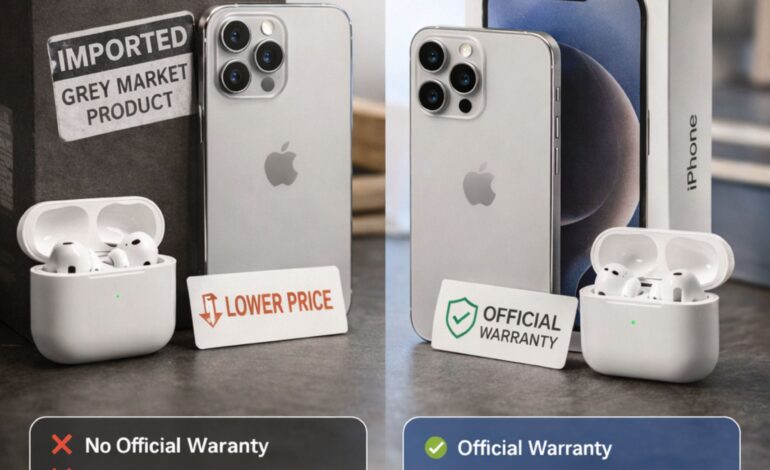
Q: Where should I buy — Amazon, Flipkart, or offline? For verified official stock and easy returns: Amazon India or Flipkart. For negotiated prices and instant inspection: authorised brand stores (Croma, Vijay Sales, Reliance Digital). Avoid grey market laptops — the warranty risk on a ₹35,000+ device is not worth 10% savings.
Q: Is the warranty transferable if I change cities? On-site warranty (Acer, Lenovo, Dell) is location-independent within India — technician visits your current address. Carry-in warranty is honoured at any authorised service centre nationwide, regardless of purchase city.
Final Verdict
| Priority | Best Pick |
|---|---|
| Best all-round | Acer Aspire 5 (₹38,999) |
| Best battery life | HP Laptop 15s (₹36,999) |
| Best display | ASUS VivoBook 15 (₹37,499) |
| Best build + keyboard | Lenovo IdeaPad Slim 3 (₹35,999) |
| Best value | Mi NoteBook 14 (₹33,999) |
| Best service network | Dell Inspiron 15 (₹39,499) |
| Best raw performance | Realme Book Prime (₹34,999) |
Our top recommendation: Acer Aspire 5 — it combines DDR5 RAM, an upgradeable slot, on-site warranty, and a solid display in a package that will serve Indian students reliably for 4 years.
Pooja Garg is a tech and lifestyle writer at Gadgistry.com, specializing in smartphones, smart home devices, and kitchen appliances. She focuses on simplifying product features into clear, practical insights to help readers make informed buying decisions.
Her work highlights real-world usability, value for money, and the latest trends in everyday technology, making it easier for readers to choose the right gadgets for their needs.