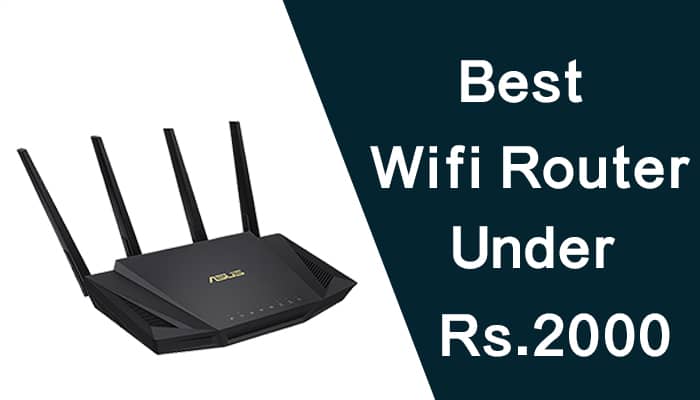
Best Wi-Fi Routers Under ₹2,000 in India (2026) – For Every Home & ISP
| Use Case | Best Pick | Price |
|---|---|---|
| Best Overall | Mercusys MR30G | ₹1,800–₹2,000 |
| Best for Jio Fiber / IPTV | Mercusys MR30G | ₹1,800–₹2,000 |
| Best Budget Dual-Band | D-Link DIR-811IN | ₹1,590–₹1,999 |
| Best for 200 Mbps+ Plans | Tenda AC10 | ₹1,900–₹2,100 |
| Best Mid-Range Value | TP-Link Archer C20 | ₹1,509–₹1,799 |
| Best Entry-Level | Tenda AC5 V3 | ₹1,500–₹1,800 |
This is the single most important thing most buyers miss. If your internet plan is faster than 100 Mbps — Jio 200 Mbps, Airtel 300 Mbps, ACT 150 Mbps — your router needs Gigabit WAN and LAN ports.
Routers with 100 Mbps ports (also called Fast Ethernet) physically cap your speed at 94–95 Mbps, regardless of your plan. You can have the best router in the world — if the port is 100 Mbps, you’ll never see more than that.
The Mercusys MR30G is the best all-around router under ₹2,000 in India right now. It packs Gigabit ports, dual-band AC1200, MU-MIMO, IPTV support, and parental controls into a package that costs less than most competitors offering half the features.
The D-Link DIR-811IN is the most affordable dual-band AC1200 router in India with a recognizable brand name. D-Link has been in Indian homes for over two decades — their service center network is one of the most widely spread in the country, including Tier 2 and Tier 3 cities.
The Tenda AC10 is built for performance. A 1GHz processor with 128MB DDR3 RAM gives it significantly more processing headroom than cheaper routers — meaning it doesn’t slow down when 10+ devices are connected simultaneously.
TP-Link is the most trusted router brand in India — widely available online and offline, with an extensive service center network across all major cities. The Archer C20 is their entry-level dual-band offering: reliable, easy to set up via the Tether app, and backed by TP-Link’s best-in-class warranty support.
The Tenda AC5 V3 is the lowest-priced dual-band AC1200 router in this list. Four 6dBi antennas — the highest dBi rating in this roundup — give it surprising range for the price. Guest network support and parental controls are included, which most routers at this price strip out.
If your internet plan is 50 Mbps or below and you only need basic browsing, OTT streaming, and WhatsApp for 2–3 devices, the Tenda N301 keeps it simple. Single-band 2.4GHz only, 300 Mbps, and no frills.
This is what most router buying guides skip — and it’s what causes the most frustration after purchase.
The universal setup that works with every ISP:
- Connect your ISP’s modem → LAN cable → your new router’s WAN port → set your router to Access Point mode. This bypasses any ISP VLAN restrictions and works with every router in this list.
For Jio Fiber users specifically: If you use Jio’s set-top box for live TV, you need a router with IGMP Proxy/IGMP Snooping support (the Mercusys MR30G has this). Without it, IPTV channels may buffer or drop while other devices use Wi-Fi simultaneously.
The thick wall problem: Indian construction uses reinforced concrete and brick walls that absorb Wi-Fi signal far more than the drywall construction common in Western countries where most router specs are tested.
- Concrete walls reduce signal by 20–50 dB. A router that claims 200 sq m coverage in open-space testing may effectively cover 100–130 sq m in a typical Indian flat.
Practical placement tips for Indian homes:
- Place the router centrally — not near the front door or in one corner room.
- Elevate the router — on a shelf, not on the floor (floors absorb signal).
- Keep it away from microwaves and cordless phones (both cause 2.4GHz interference).
- Point antennas vertically for horizontal coverage across rooms.
Budget routers run hot. In Indian summers with ambient temperatures hitting 40–45°C in non-AC rooms, cheap routers auto-restart, drop connections, and fail earlier than their rated lifespan.
How to prevent it:
- Never place the router inside a closed cabinet or drawer.
- Keep vents unobstructed — at least 10 cm clearance on all sides.
- Avoid direct sunlight on the router body.
- Clean dust from vents every 3–4 months (blocked vents are the #1 cause).
Yes — single-band 2.4GHz routers get congested quickly in homes with smart TVs, phones, laptops, and smart home devices all connected simultaneously. Dual-band gives you a fast 5GHz lane for nearby devices and a wide 2.4GHz lane for devices farther away.
You need Gigabit ports. From this list: Mercusys MR30G and Tenda AC10 both have Gigabit WAN + LAN ports. The D-Link DIR-811IN, Archer C20, and Tenda AC5 V3 all have 100 Mbps Fast Ethernet ports that will cap your speed.
Yes, in Access Point mode — plug the Jio fiber modem’s LAN port into your router’s WAN port and set your router to AP mode. For use as a primary router replacing the Jio device entirely, you need VLAN 201 configuration — supported on Mercusys MR30G and Tenda AC10.
No — Wi-Fi 6 (802.11ax) routers start at ₹4,999 in India. All routers in this list are Wi-Fi 5 (802.11ac), which is more than sufficient for home use and all current ISP plans.
With proper ventilation and a voltage stabilizer (recommended in areas with frequent power fluctuations), 3–5 years is realistic. TP-Link and D-Link models have the best long-term reliability track records in India based on buyer feedback patterns.
For most Indian homes, the Mercusys MR30G is the clear answer — Gigabit ports, IPTV support, WPA3 security, and MU-MIMO at under ₹2,000 is genuinely hard to beat.
If your internet plan is 100 Mbps or below and you want a trusted brand name, go with the D-Link DIR-811IN — wide service network, simple setup, and reliable performance for standard home use.
Spend to the top of the budget for the Tenda AC10 if you have a 200 Mbps+ plan and a larger home — the 1GHz processor and Beamforming+ make a real difference when many devices compete for bandwidth simultaneously.

Pooja Garg is a tech and lifestyle writer at Gadgistry.com, specializing in smartphones, smart home devices, and kitchen appliances. She focuses on simplifying product features into clear, practical insights to help readers make informed buying decisions.
Her work highlights real-world usability, value for money, and the latest trends in everyday technology, making it easier for readers to choose the right gadgets for their needs.